How to Cancel a Sent Friend Request on Snapchat
We often send friend requests to people on Snapchat and later forget about them. Sometimes the person never accepts the request, but their account remains in our Following list.
Over time, hundreds or even thousands of unanswered requests can collect there. You may not remember who you added or why you sent them a request.
Luckily, Snapchat makes it easy to see the accounts that have not added you back and remove those old requests in just a few simple steps.
In this guide, I will show you how to cancel a sent friend request on Snapchat.
Let's get started.
If you find this guide helpful, please leave a like. Your support inspires me to create more simple Snapchat tutorials like this.
What Does Canceling a Sent Friend Request Mean?
When you add someone on Snapchat, they need to add you back before you become friends.
If they do not accept your request, their account may remain in your Following list as a one-way connection.
Canceling the request removes that connection from your side.
This is useful when:
- Someone never accepted your friend request.
- You added the wrong person.
- You sent the request by mistake.
- You no longer want to connect with them.
- You want to clean up old pending requests.
Snapchat may show the word Unsubscribe instead of Cancel Request. Both options remove the account from your Following list.
How to Cancel a Sent Friend Request on Snapchat
Follow these simple steps to find and remove a friend request that was never accepted.
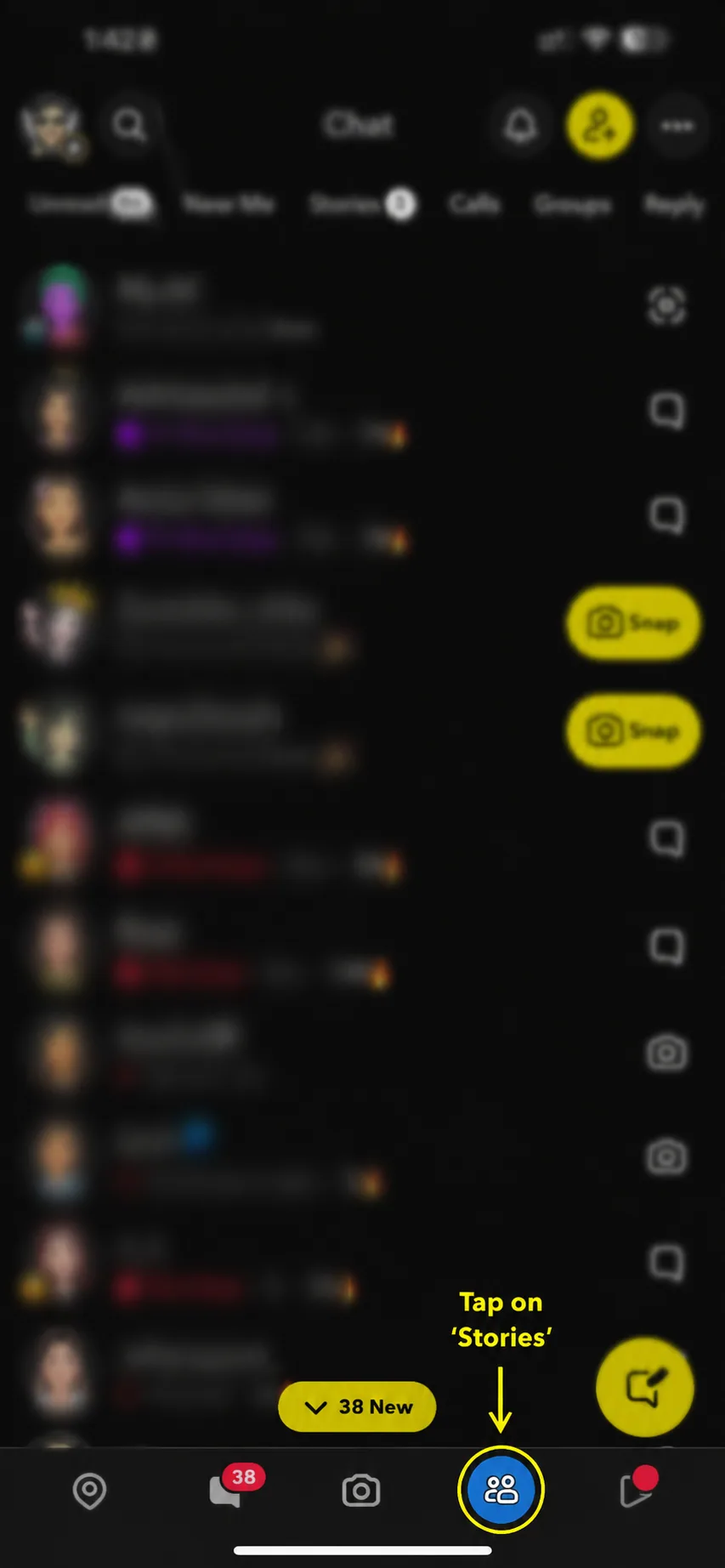
Step 1: Open Snapchat and Go to Stories
Open Snapchat on your phone.
Look at the navigation bar at the bottom of the screen. Tap the Stories icon, which looks like two people.
This will open the Snapchat Stories page.
Step 2: Tap the Three-Dot Menu
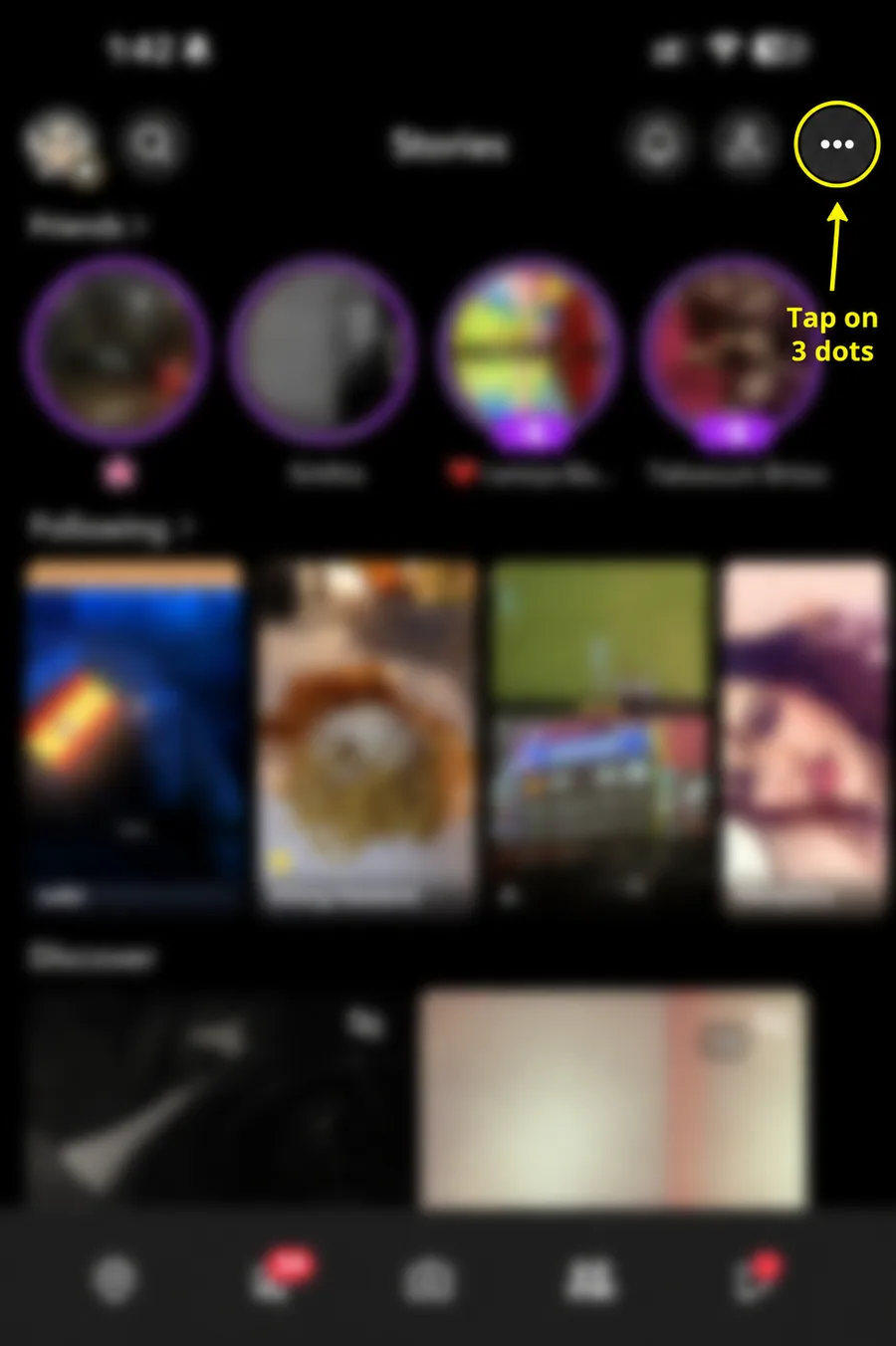
On the Stories page, look at the top-right corner of the screen.
Tap the three-dot icon to open the available options.
Step 3: Select Manage Accounts I Follow
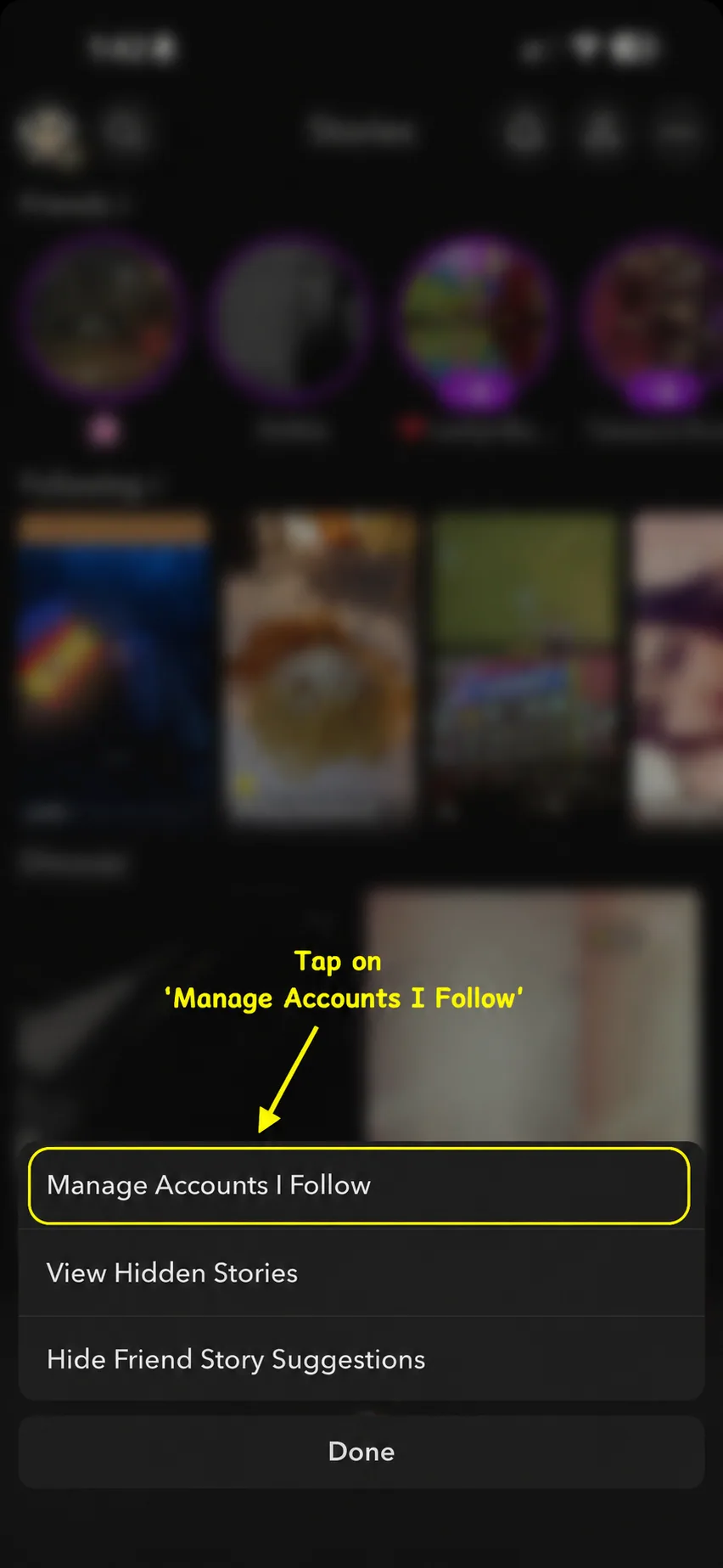
A small menu will appear at the bottom of the screen.
Tap Manage Accounts I Follow.
This section shows the accounts you currently follow, including people who may not have added you back.
Step 4: Tap Edit
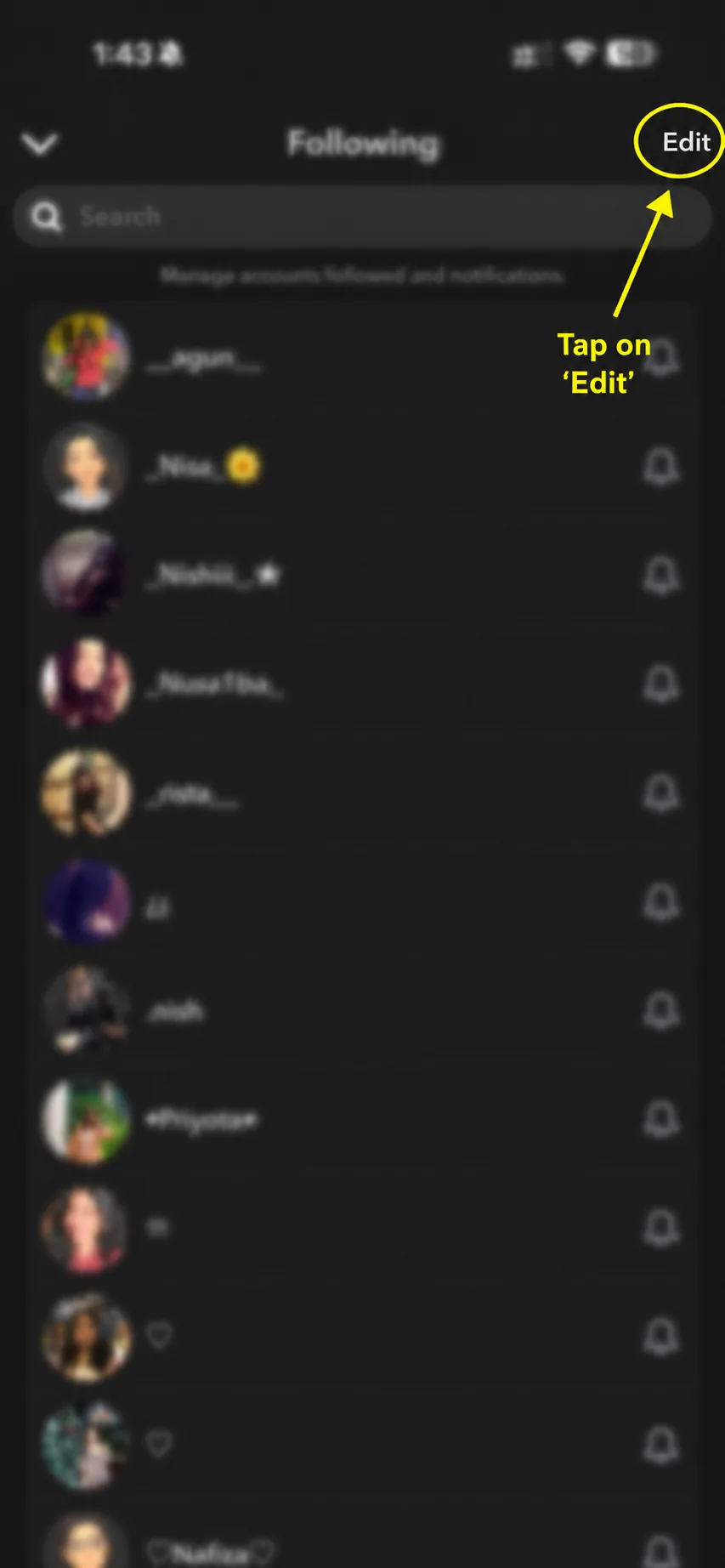
You will now see your Following list.
Tap Edit in the top-right corner. An X icon will appear beside every account.
Step 5: Tap the Cross and Confirm Unsubscribe
Find the person whose request you want to cancel.
Tap the X beside their account. Snapchat will ask you to confirm the action.
Tap Unsubscribe or Yes, depending on the option shown in your app.
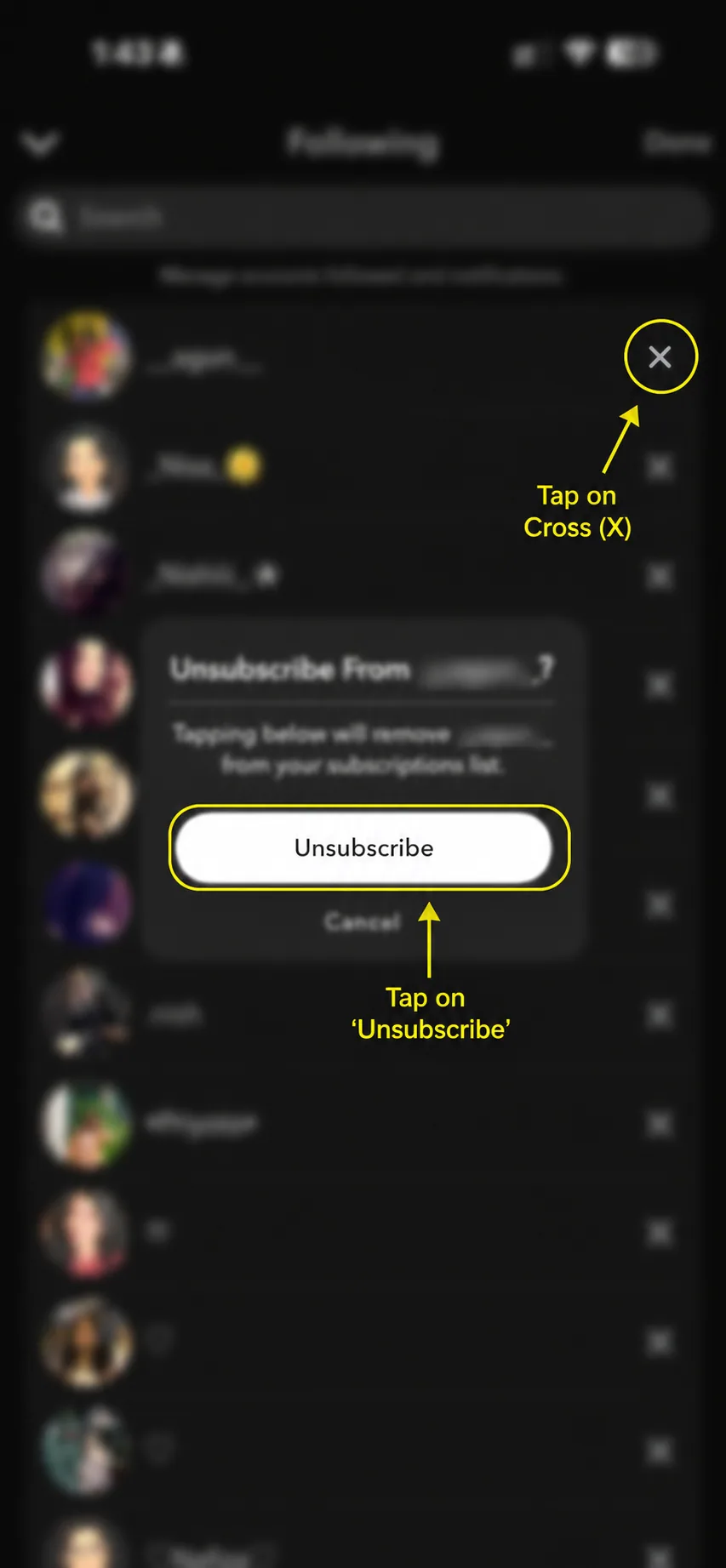
That's it. The account will be removed from your Following list, and the unanswered request will no longer remain active from your side.
What Happens After You Cancel the Request?
After removing the account:
- It disappears from your Following list.
- The pending connection is removed from your side.
- You stop following their Stories.
- The person is not blocked.
- They are not removed as an existing friend.
- You can send them another request later.
Canceling the request only removes the unanswered connection.
Will They Know You Canceled the Request?
Snapchat does not normally send a notification when you cancel a sent friend request.
The person will not receive a message saying:
"Someone canceled their friend request."
However, they may notice if they previously saw your request and later find that it is no longer there.
Can You Send Them Another Request?
Yes.
Canceling a request is not permanent. You can search for the person again and tap Add whenever you want.
A new friend request will be sent to them. If they accept it, both of you will become friends on Snapchat.
Why Can't I Find the Person in My Following List?
There may be a few reasons.
They Accepted Your Request
If the person added you back, they may now appear in your Friends list instead of the Following list.
You Already Removed Them
The account will disappear after you cancel the request.
Their Account Is No Longer Available
The person may have deleted or disabled their Snapchat account.
They Changed Their Username
Try searching for their current username or display name.
Snapchat Needs an Update
Open the App Store or Google Play Store and check for a Snapchat update.
Restart the App
Close Snapchat completely and open it again if the list is not loading correctly.
Final Thoughts
It is easy to forget about the friend requests we sent on Snapchat weeks, months, or even years ago.
If someone never accepted your request, their account may remain in your Following list as a one-way connection. Fortunately, Snapchat gives you a simple way to find and remove those old requests.
Open Stories, tap the three-dot menu, select Manage Accounts I Follow, tap Edit, and remove the account using the X icon.
Even if Snapchat shows Unsubscribe, it removes the unanswered connection from your side. You can always add the person again later if you change your mind.
Frequently Asked Questions
Q - How do I cancel a friend request I sent on Snapchat?
Open Stories, tap the three dots, select Manage Accounts I Follow, tap Edit, and press the X beside the account. Confirm by tapping Unsubscribe.
Q - Why does Snapchat say Unsubscribe?
The person appears as an account you follow because they have not added you back. Snapchat may therefore use the word Unsubscribe instead of Cancel Request.
Q - Will the person receive a notification?
No. Snapchat does not normally notify someone when you remove the pending connection.
Q - Does canceling the request block them?
No. The person can still search for your account and view your public content based on your privacy settings.
Q - Can I add the person again later?
Yes. Search for their account and tap Add again.
Q - Does this remove an existing Snapchat friend?
No. This method is for people who have not accepted your request. Removing an existing friend uses a different option.
Q - Can I cancel several requests?
Yes, but you usually need to remove each account individually from the Following list.
Official sources
These official help pages were used to check the platform steps and rules in this guide.